
November 7, 2026
Using work devices for personal activities may seem harmless, but it can expose businesses to serious cybersecurity threats, data breaches, compliance violations, and productivity challenges. Whether it’s checking personal email, online shopping, or browsing social media, personal use of company-issued devices increases risk for both employees and organizations.
As cyber threats continue to evolve, businesses must understand the dangers associated with mixing personal and professional activities on company devices and implement policies that help protect sensitive information.
Why Employees Use Work Devices for Personal Activities
The lines between work and personal life have become increasingly blurred. Employees often use company-issued laptops, smartphones, and tablets for:

- Personal email
- Social media accounts
- Online banking
- Shopping websites
- Streaming services
- Personal cloud storage
- Downloading mobile apps or software
While these activities may appear convenient, they introduce security vulnerabilities that can place entire business networks at risk.
1. Increased Risk of Malware and Cybersecurity Attacks
One of the biggest cybersecurity risks associated with personal device use is malware infection.
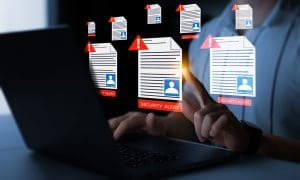
When employees visit non-business websites, download unauthorized software, or click suspicious links, they increase the likelihood of introducing:
- Viruses
- Ransomware
- Trojans
- Spyware
- Adware
- Keyloggers
Hackers often use phishing emails and malicious websites to trick users into downloading harmful software. Once a company device is compromised, attackers may gain access to the organization’s entire network, leading to costly disruptions and potential data loss.
Example
An employee receives a promotional email for a personal online purchase. Clicking the link downloads malware that spreads across the company’s systems, disrupting operations and exposing sensitive business information.
2. Exposure of Sensitive Company Data
Work devices frequently contain confidential information such as:
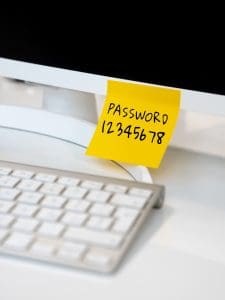
- Customer records
- Financial documents
- Contracts
- Employee information
- Intellectual property
- Internal communications
When personal and business activities coexist on the same device, the risk of accidental data exposure increases significantly.
For example, employees may:
- Upload company files to personal cloud storage
- Forward work documents to personal email accounts
- Save confidential information on unsecured applications
These actions can unintentionally create security gaps that cybercriminals can exploit.
3. Greater Vulnerability to Phishing Scams
Personal internet use often involves interacting with websites, subscriptions, advertisements, and social platforms that fall outside corporate security controls.
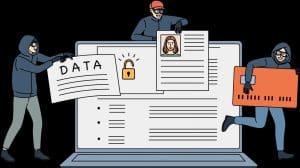
Cybercriminals commonly disguise malicious content as:
- Shipping notifications
- Promotional offers
- Social media messages
- Account verification requests
- Online shopping confirmations
If employees enter business credentials into fraudulent websites, attackers can gain unauthorized access to company systems, leading to account compromise and potential data breaches.
4. Compliance and Regulatory Risks
Organizations operating in regulated industries must comply with data protection requirements and cybersecurity standards.
 Personal use of company devices can increase the likelihood of violations involving:
- Customer privacy laws
- Payment card security standards
- Healthcare data regulations
- Industry-specific compliance requirements
Failure to maintain appropriate security controls can result in:
- Regulatory fines
- Legal liability
- Audit failures
- Reputational damage
A strong acceptable-use policy helps organizations maintain compliance while reducing unnecessary risk.
5. Reduced Employee Productivity
Beyond cybersecurity concerns, excessive personal use of company devices can affect productivity.
 Common distractions include:
- Social media scrolling
- Streaming videos
- Online shopping
- Personal messaging
- Non-work-related web browsing
Even small productivity losses add up over time and can impact team performance, customer service, and overall business efficiency.
Organizations that establish clear expectations regarding acceptable device use often experience improved focus and operational effectiveness.
6. Increased IT Support Costs
When employees use work devices for personal activities, IT teams often spend additional time resolving issues unrelated to business operations.
 These issues may include:
- Malware cleanup
- Device performance degradation
- Unauthorized software removal
- Security incident investigations
- Storage management problems
The more personal applications and files added to company devices, the greater the burden on IT resources and support budgets.
7. Employee Privacy and Device Return Challenges
Many employees store personal photos, emails, documents, and account information on company-owned devices.
 When an employee leaves the organization or upgrades equipment, businesses must recover and secure company assets. This process can become complicated if personal information is mixed with business data.
Potential concerns include:
- Loss of personal files
- Access to personal accounts
- Data retention complications
- Privacy disputes
Separating personal and business use helps protect both employees and employers during device transitions.
Best Practices for Employees
To minimize work device security risks, employees should:
✅ Use work devices primarily for business purposes.
✅ Avoid downloading unauthorized applications.
✅ Never store company data in personal cloud accounts.
✅ Use personal devices for banking, shopping, and social media.
✅ Enable multi-factor authentication (MFA) whenever available.
✅ Report suspicious emails and websites immediately.
✅ Follow all company cybersecurity policies.
How Businesses Can Protect Company Devices
Clear Acceptable Use Policies
Define what activities are and are not permitted on company-owned devices.
Security Awareness Training
Teach employees how to identify phishing attempts, malicious websites, and cybersecurity threats.

Endpoint Protection Solutions
Use advanced antivirus, anti-malware, and endpoint detection tools to monitor devices.
Multi-Factor Authentication (MFA)
Add an extra layer of protection to business accounts and applications.
Web Content Filtering
Restrict access to high-risk websites and online content categories.
Mobile Device Management (MDM)
Enforce security standards across laptops, smartphones, and tablets.
Regular Security Audits
Identify vulnerabilities before they can be exploited by attackers.
Frequently Asked Questions
Is it okay to check personal email on a work computer?
While many organizations allow limited personal use, accessing personal email on a work device can increase the risk of phishing attacks and malware infections. Employees should follow company policies and exercise caution.
Can personal use of work devices cause a data breach?
Yes. Personal browsing, file sharing, and application downloads can expose company systems to cyber threats that may lead to unauthorized access or data loss.
Why do companies monitor work devices?
Organizations monitor company-owned devices to protect sensitive data, maintain compliance, detect security threats, and ensure appropriate use of business resources.
What is the safest option?
The safest approach is to keep personal and business activities separate by using personal devices for non-work-related tasks whenever possible.
Final Thoughts
 The dangers of using work devices for personal use extend far beyond simple distractions. From malware infections and phishing attacks to data breaches and compliance risks, personal use can create vulnerabilities that threaten the entire organization.
By maintaining clear device usage policies, providing ongoing cybersecurity training, and encouraging employees to separate personal and professional activities, businesses can significantly reduce risk and strengthen their overall security posture.
Is your organization prepared to protect company devices from modern cyber threats? A proactive cybersecurity strategy can help reduce risk, improve compliance, and keep your business running securely.
For expert guidance on cybersecurity, managed IT services, and security awareness training, contact Absolute Technology Solutions today: https://www.getabsolute.com/
Works Cited
Cybersecurity and Infrastructure Security Agency. Cybersecurity Best Practices. U.S. Department of Homeland Security, https://www.cisa.gov. Accessed 13 Oct. 2026.
Federal Trade Commission. Cybersecurity for Small Business. Federal Trade Commission, https://www.ftc.gov/business-guidance/small-businesses/cybersecurity. Accessed 13 Oct. 2026.
Microsoft Security. Security Awareness and Phishing Protection Resources. Microsoft, https://www.microsoft.com/security. Accessed 13 Oct. 2026.
National Institute of Standards and Technology. Cybersecurity Framework (CSF) 2.0. U.S. Department of Commerce, https://www.nist.gov/cyberframework. Accessed 13 Oct. 2026.
SANS Institute. Security Awareness Training Resources. SANS Institute, https://www.sans.org/security-awareness-training. Accessed 13 Oct. 2026.
Absolute Technology Solutions — IT Services & Web Design. https://www.getabsolute.com/. Accessed 13 Oct. 2026.
Share this Post